Plan the bake.
Keep your day.
Your day already has plans. Beesy Bakers helps you fit a whole bake around them, from the first mix to the final cool.
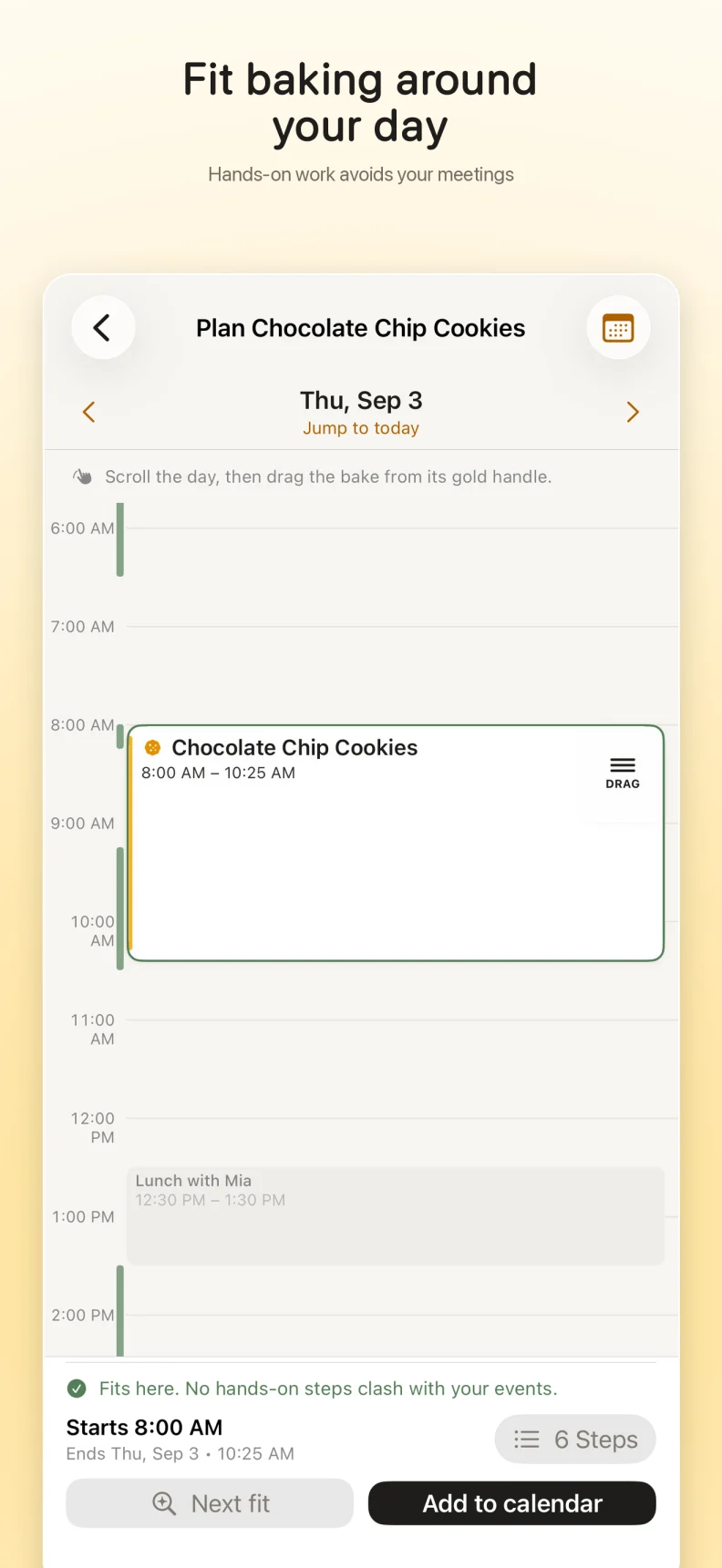
See your bake beside your calendar. Drag the whole flow to a time that fits: hands-on work avoids busy events, while the dough can rest when you are doing something else.
For iPhone with iOS 26.0 or later.
Your first 3 calendar additions are free.
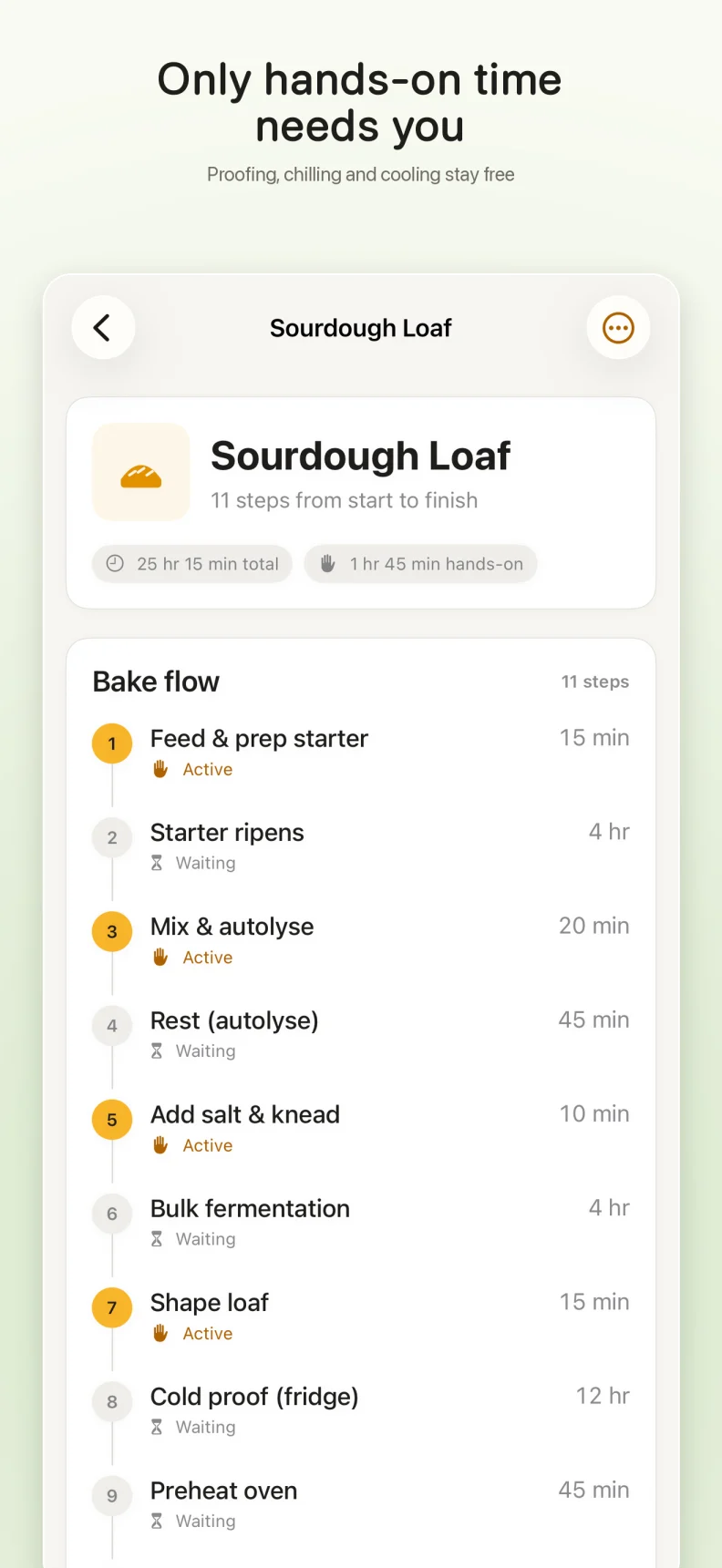
Only the hands-on parts need you.
Mixing, shaping, and the other hands-on steps need a clear spot in your day. Proofing, chilling, resting, and cooling do not need to clear your whole afternoon.
Move the bake, not every step. Drag the whole baking flow through the visual day calendar. Busy events keep their place; waiting time can overlap your other plans.
One bake. One calendar event.
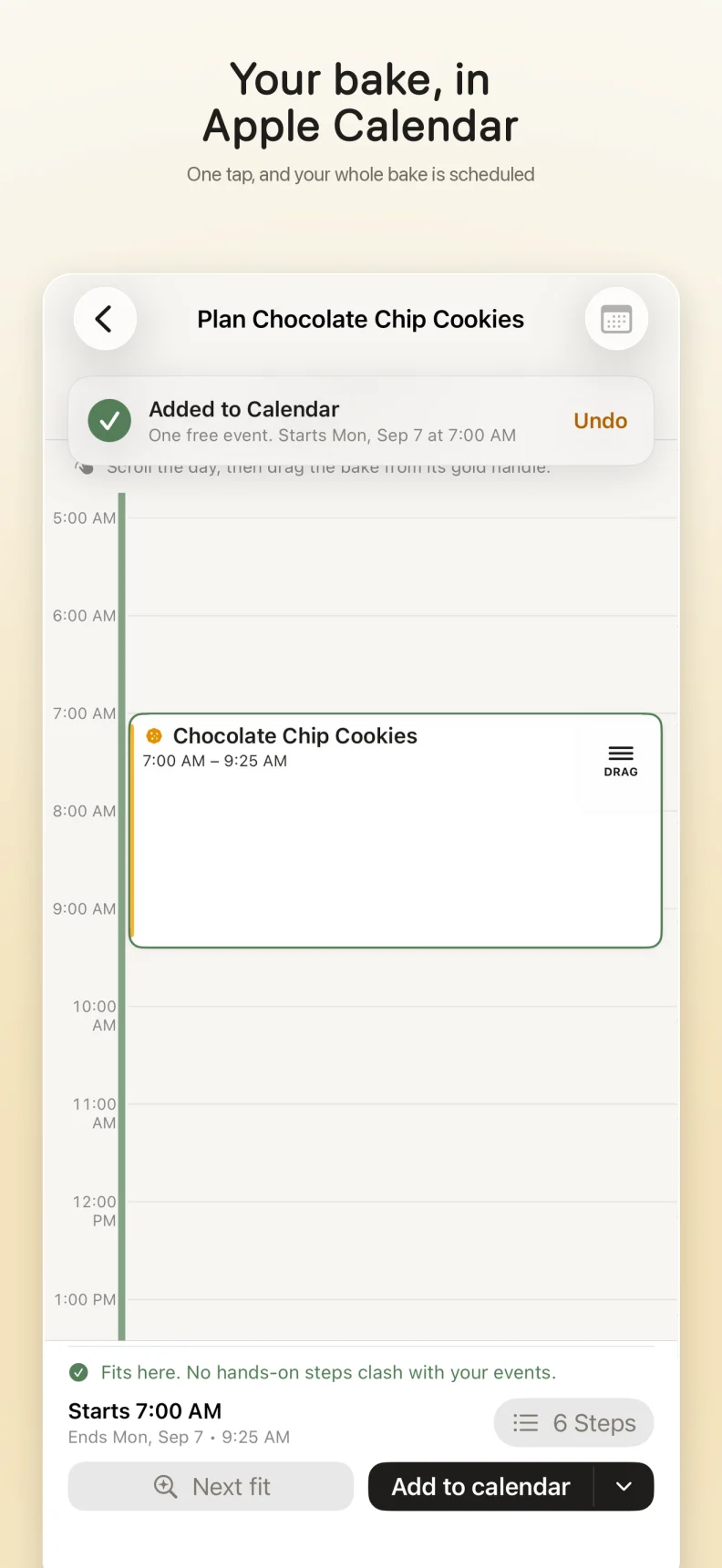
Keep the plan in Apple Calendar, where the rest of your day already lives. By default, Beesy adds one event for the whole bake, with the complete timed flow in its notes.
The event is marked Free where your calendar supports it, so waiting for dough does not block your availability. Separate step events are an optional export, not the default.
Plans changed? Undo an addition or remove the whole bake.
Keep the bakes you come back to.
Save favorites and templates, edit ingredients and steps, and share or import recipes. The recipe is the starting point; fitting it into your day is the point.
Make it yours, by hand.
Add and edit recipes, ingredients, and steps yourself. Manual editing works without Apple Intelligence or an AI model.
A little help, on your iPhone.
Optional AI import and editing use Apple's on-device Foundation Models. Review the result before saving it. Importing from a recipe URL fetches the website you choose.
AI features require a compatible Apple Intelligence iPhone, such as iPhone 15 Pro or Pro Max or a later eligible model, with Apple Intelligence enabled, a supported language and region, and the model downloaded. Not every iPhone supports these features.
Try it with your next three bakes.
Your first 3 calendar additions are free. After that, unlock more with Beesy Pro.
US$9.99. One time.
No subscription. Beesy Pro is a non-consumable purchase with Family Sharing. Purchases and restores are handled through Apple's StoreKit.
Get Beesy BakersRegional prices may vary. The App Store shows your local price before you buy.
A few things worth knowing.
Do I need an account or Apple Intelligence?
No developer account or sign-in is needed. Manual recipe editing and planning work without AI. Optional AI tools need a compatible Apple Intelligence iPhone and a ready on-device model.
Where do my recipes and calendar data go?
Recipes and preferences stay on your device; Beesy does not offer iCloud or CloudKit recipe sync. Calendar events may sync through your selected calendar provider. Sharing uses the services you choose. Recipe text, ingredients, calendar details, and AI prompts are not sent to Firebase.
Are there ads or usage analytics?
Beesy has no ads, AdMob, or Firebase Crashlytics. Firebase Analytics is enabled by default for usage and purchase statistics. It uses a random app-instance identifier and device, app, and approximate location information, without a name, email, or account ID associated by Beesy. Turn it off in Settings > Privacy > Usage analytics.
Turning analytics off stops future collection and resets locally stored Analytics data. It does not erase data Google has already received. Beesy disables IDFA and IDFV collection, advertising personalization, and automatic screen reporting. Read the Beesy privacy details.
Need a hand? Write to info@yellowgrayfox.com.